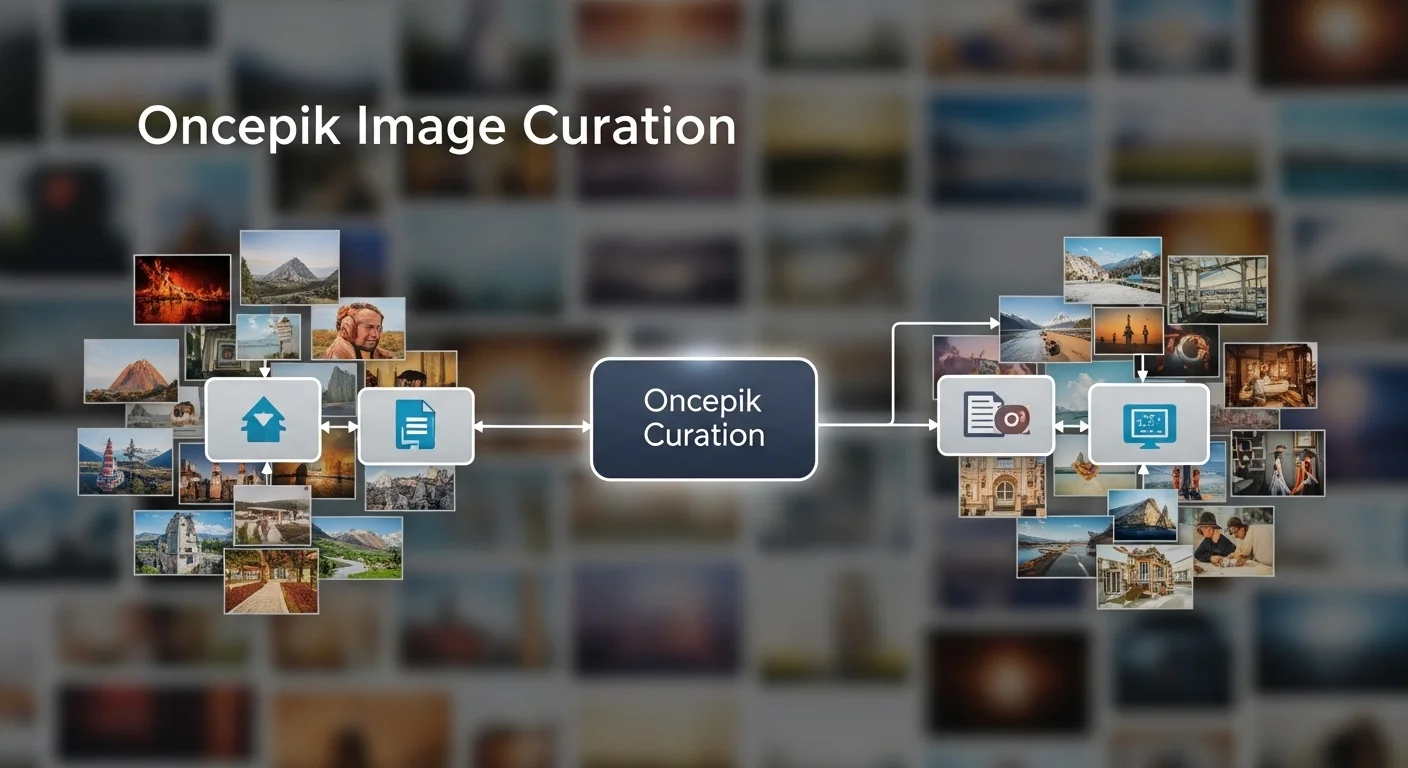
Oncepik is an AI-driven image management platform designed to automate the curation, organization, and distribution of digital assets for creative teams. The Oncepik platform uses advanced artificial intelligence to identify, tag, and sort visual assets, helping businesses reduce manual file management and streamline their content workflows.
Managing growing libraries of digital assets requires more than just basic cloud storage. Marketing teams, photographers, and creative agencies generate hundreds of visual assets daily. Organizing these files manually leads to lost assets, duplicated work, and disjointed brand identities.
The Oncepik platform solves the problem of visual asset disorganization. By automating the tagging and sorting process, Oncepik allows teams to locate exact images in seconds. This eliminates the friction of searching through poorly named folders and scattered hard drives.
Implementing a dedicated image management platform transforms how teams collaborate on visual content. Readers of this guide will learn exactly how the Oncepik platform functions, discover its core benefits, and understand how to evaluate it against other market alternatives.
What are the core features of the Oncepik platform?
The Oncepik platform functions primarily as an automated digital asset manager. The software combines artificial intelligence with secure cloud architecture to centralize visual content.
Automated smart tagging
The Oncepik platform automatically scans and tags every uploaded image using machine learning algorithms. When a user uploads a batch of photographs, the system identifies objects, colors, and text within the images, assigning relevant metadata instantly. This means users do not need to manually enter keywords for individual files.
Advanced permission controls
Oncepik provides granular access controls for internal and external collaborators. Administrators can assign specific viewing or editing rights to different user groups. A freelance designer might only see files related to their specific project, while a marketing director retains global access to the entire company library.
Dynamic format conversion
The Oncepik platform automatically generates multiple file formats and sizes from a single master upload. A user can upload a high-resolution raw file, and the platform will instantly make web-optimized JPEGs or transparent PNGs available for download. This eliminates the need to route basic resizing requests through graphic design teams.
What are the key benefits of using Oncepik for teams?
Adopting the Oncepik platform directly impacts operational efficiency and brand consistency. Teams move away from reactive file hunting and shift toward proactive content distribution.
Significant time recovery
Oncepik reduces the time employees spend searching for visual assets. Because the automated smart tagging ensures every image is highly searchable, team members can locate specific assets using natural language queries. Marketing professionals regain hours previously lost to navigating complex folder hierarchies.
Guaranteed brand consistency
The Oncepik platform ensures that all team members access the most current and approved visual assets. By serving as a single source of truth, the system prevents outdated logos or unlicensed stock photos from appearing in external marketing materials.
What are the primary use cases for the Oncepik platform?
Different industries leverage the Oncepik platform to solve specific workflow bottlenecks. The software adapts to varying scales of asset volume and team sizes.
E-commerce catalog management
Retail brands use the Oncepik platform to manage massive product photography catalogs. The automated tagging correctly categorizes images by SKU, color, and season. This allows web developers and marketers to pull the correct product images into digital storefronts rapidly.
Marketing and social media campaigns
Marketing agencies rely on the Oncepik platform to distribute campaign assets to remote teams and external partners. The dynamic format conversion allows social media managers to download the exact dimensions required for different platforms without asking a designer for help.
How does Oncepik compare to alternative image management tools?
Evaluating the Oncepik platform requires looking at specific team requirements and budget constraints. Different platforms prioritize different aspects of digital asset management.
Choose the Oncepik platform if your team requires heavy automation and AI-driven metadata generation. Oncepik excels in environments where users upload thousands of images weekly and need the system to categorize them without human intervention.
Choose traditional cloud storage (like Google Drive or Dropbox) if your team only manages a small number of visual assets and prioritizes document collaboration over image specific workflows. Traditional storage requires strict manual folder management but typically costs less per terabyte.
Choose enterprise legacy systems if your organization requires deep on-premise integrations with older enterprise resource planning (ERP) software. The Oncepik platform operates entirely in the cloud, which may not suit highly regulated industries that mandate localized data hosting.
What is the future outlook for the Oncepik platform?
The Oncepik platform continues to evolve alongside advancements in generative artificial intelligence. The roadmap for Oncepik indicates a strong focus on predictive content analysis and deeper integrations with popular content management systems.
Future updates to the Oncepik platform will likely include generative editing capabilities directly within the browser. This will allow marketers to extend backgrounds or remove unwanted elements from images without opening dedicated photo editing software. By consolidating storage, organization, and light editing into a single interface, Oncepik aims to become the definitive operating system for visual content.
Frequently Asked Questions about Oncepik
How much does the Oncepik platform cost?
The Oncepik platform operates on a tiered subscription model based on storage capacity and user seats. Small team plans generally start with a base monthly fee for a set terabyte limit, while enterprise plans require custom quoting based on specific security and API integration requirements.
How long does it take to migrate to the Oncepik platform?
Migrating to the Oncepik platform typically takes two to four weeks. The timeline depends heavily on the volume of existing assets and the speed of your internet connection during the initial bulk upload phase. The AI tagging begins automatically as assets enter the system.
Can external partners upload images to Oncepik?
Yes, external partners can upload images to the Oncepik platform. Administrators can generate secure, time-sensitive upload links that allow photographers or freelancers to deposit files directly into designated quarantine folders for review.
Also read More Information: A Complete Guide to Pabington: Trends, Uses, and Insights
About the Author






1 thought on “What is Oncepik? The Complete Guide to Image Curation”